
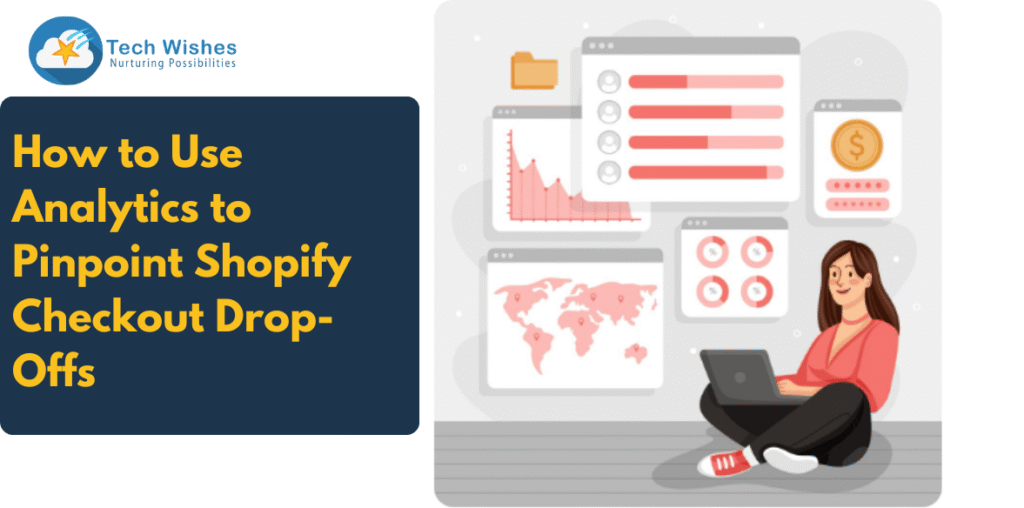
You’ve spent hours (and dollars) driving traffic to your Shopify store. Visitors are browsing, adding items to their cart… but somewhere between “Checkout” and “Order Confirmed,” they disappear. This frustrating moment is called a checkout drop-off—and it’s costing you sales.
The good news? With the right analytics setup, you can track exactly where shoppers abandon the process and take action to fix it. In this guide, we’ll break down how to use analytics to pinpoint Shopify checkout drop-offs, so you can turn near-sales into actual revenue.
Why Do Checkout Drop-Offs Happen?
Before diving into analytics, let’s understand the “why.” Common reasons include:
- Unexpected costs (shipping fees, taxes)
- Complicated checkout process (too many steps or form fields)
- Limited payment options
- Slow page load speed
- Lack of trust (no clear returns policy or security badges)
By identifying the exact stage where users drop off, you can target the specific friction point instead of guessing.
Step 1: Set Up Shopify Checkout Funnel Tracking
Shopify already offers some checkout analytics in its dashboard, but for deeper insights, connect your store to Google Analytics 4 (GA4) or a similar tool.
How to Set Up Checkout Funnel in GA4:
- Enable Enhanced Ecommerce Tracking in Shopify and GA4.
- Define your checkout steps as custom events:
- Step 1: Cart
- Step 2: Shipping Information
- Step 3: Payment Information
- Step 4: Review & Purchase
- Create a funnel exploration in GA4 to visualise the journey.
This setup lets you see exactly where the biggest drop-offs occur.
Step 2: Identify the Drop-Off Stage
Once the funnel is active, check your analytics after a week or two of data collection. You might see something like this:
- Cart → Shipping: 25% drop-off
- Shipping → Payment: 40% drop-off
- Payment → Purchase: 10% drop-off
From this, you’ll know your main problem is between shipping and payment—possibly due to high shipping costs or limited delivery options.
Step 3: Combine Quantitative & Qualitative Data
Analytics tells you where the problem is. To understand why, pair it with qualitative insights:
- Heatmaps & Session Recordings (Hotjar, Microsoft Clarity) – Watch how users interact with your checkout pages.
- Exit Surveys – Ask users why they didn’t complete the purchase.
- A/B Testing – Experiment with different checkout layouts and offers.
Step 4: Use Key Metrics to Guide Improvements
While reviewing your checkout analytics, keep an eye on these metrics:
- Checkout Conversion Rate (CCR) – Percentage of users who start checkout and complete it.
- Cart Abandonment Rate – Percentage of users who add to cart but don’t proceed to checkout.
- Checkout Abandonment Rate – Percentage who start checkout but don’t finish.
- Average Time to Purchase – Longer times may mean confusion or distraction.
Step 5: Implement Targeted Fixes Based on Data
Here are examples of solutions based on your analytics findings:
- High Drop-Off at Shipping Step → Offer free shipping threshold or clearly display shipping costs earlier.
- High Drop-Off at Payment Step → Add more payment options (UPI, PayPal, Buy Now Pay Later).
- Slow Checkout Pages → Optimize images, reduce scripts, and improve hosting speed.
- Trust Issues → Display SSL certificate, trust badges, and customer reviews.
Step 6: Keep Testing and Tracking
Checkout optimisation isn’t a one-time task. Set up a monthly review of your funnel analytics, run experiments, and measure improvements over time. Even a 5% improvement in checkout completion can have a massive impact on your revenue.
Bonus: Use Shopify Apps to Boost Checkout Conversions
Shopify has a range of apps that can help reduce drop-offs, including:
- Boost My Cart (milestone rewards, upsells, gift wrap options)
- Shopify Payments for seamless transactions
- Trust Hero for trust badges and secure checkout signals
Final Word
If you’re not tracking where shoppers drop off in your Shopify checkout, you’re flying blind. By using analytics to map your checkout funnel, spotting problem stages, and applying targeted fixes, you can turn lost sales into loyal customers.
Data doesn’t just tell a story—it shows you the exact chapter where buyers close the book. Your job is to make sure they read all the way to “Thank You for Your Order.”
To stay updated on Shopify, keep following us, our Shopify expert team will keep filling in helpful information.
Happy reading!