
Why “Google-Ready” Matters on Day One
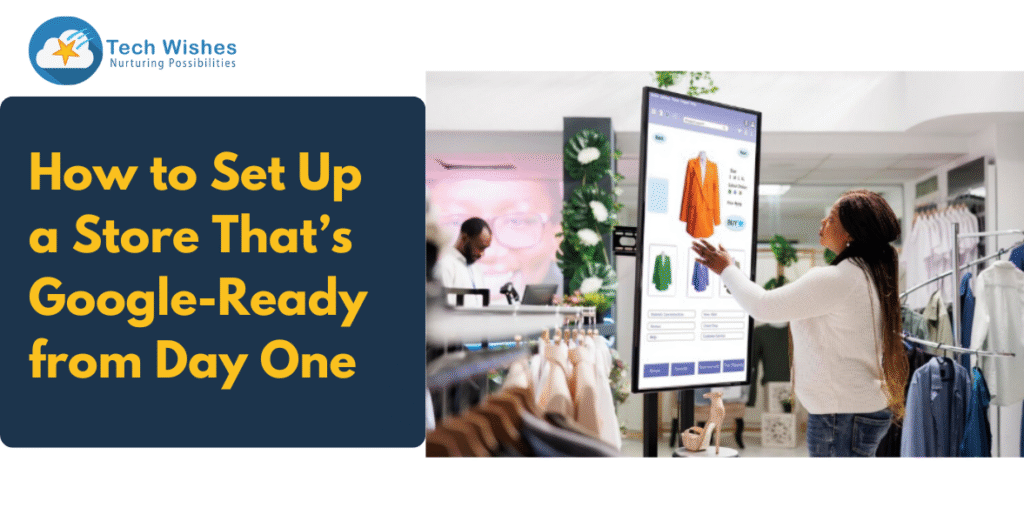
Launching an e-commerce store is exciting, but here’s what most brands miss: If your store isn’t Google-optimised from day one, you’ll face slower traffic, poor visibility, and expensive ad dependencies.
But when you plan your setup with SEO, AEO (Answer Engine Optimisation), and GEO (geographic intent) in mind, your store gets a strong organic foundation, performs better on AI search, and ranks locally and globally.
This blog is your step-by-step guide to building a search-optimised ecommerce store—whether you’re using Shopify, WooCommerce, Magento, or a headless stack.
-
Choose a Fast, SEO-Friendly E-commerce Platform
Not all platforms are created equal. From crawlability to speed, your choice affects Google visibility.
Top options:
- Shopify (built-in SEO + app ecosystem)
- WooCommerce (full control via WordPress SEO plugins)
- Headless CMS (Jamstack for advanced performance)
- Magento (flexibility + robuscatalogueog features)
Look for platforms that:
- Offer fast-loading themes
- Allow custom meta titles & descriptions.
- Let you create SEO-friendly URLs
- Support schema markup and sitemaps.
Technical SEO must be built in, not an afterthought.
-
Start with a Keyword-Driven Site Architecture
Before you launch, map out your site with keyword clusters that match your products, categories, and buyer intent.
Example:
If you’re selling skincare:
- /moisturisers/ (category page)
- /moisturizers/hyaluronic-acid-cream/ (product page)
- /blog/benefits-of-hyaluronic-acid-for-dry-skin/ (content page)
Use short, clean URLs with primary keywords:
- /men-shirts/white-linen-shirt
- /product123?sku=abc456
This improves user experience and makes it easier for search engines to understand your content.
-
Set Up Core Pages with On-Page SEO Best Practices
For each page (homepage, collections, product pages), ensure:
- Unique meta title with primary keyword
- Clear H1 heading
- Engaging meta descriptions (150–160 characters)
- Descriptive ALT text for all images
- Keyword-rich, benefit-driven product descriptions
- Internal links to related products/blogs
Use tools like Yoast SEO (WordPress) or Smart SEO (Shopify) to stay compliant with Google standards.
-
Build a Blog From Day One (Yes, Really)
Content marketing isn’t optional—it’s foundational. Launching a blog with your store helps you rank faster.
Start with 4–5 SEO-rich blogs targeting informational and buying-intent keywords.
Example topics:
- How to Choose the Right [Product Type] for Your [Need]
- [Product Type] vs [Alternative]: What’s Better in 2025?
- Best [Product Type] for [Geo Location]
- Common [Product Category] Mistakes to Avoid
Add structured data like FAQ schema to boost visibility in AI search results and voice queries.
-
Optimise for Local & GEO-Searches
Even if you’re an online store, GEO optimisation helps when people search for terms like:
- “Best skincare brand in Dubai”
- “Buy sneakers online in India”
- “eco-friendly bags near me”
What to do:
- Mention shipping areas (e.g., “We deliver pan-India” or “Fast shipping in New York”)
- Create region-specific landing pages if applicable.
- Add your business to Google Business Profile (if applicable)
- Use local language cues like currency, time zone, and cultural terms.
This geo-layer increases your store’s relevance and improves trust.
-
Set Up Technical Essentials Before Launch
Google needs access to and trust in your website architecture. Get your backend right:
Checklist:
- Create and submit the XML sitemap
- Generate robots.txt (allow Googlebot but block admin sections)
- Enable HTTPS (SSL certificate is a must)
- Set canonical URLs to avoid duplicate content.
- Mobile responsiveness (test with Google’s Mobile-Friendly Test)
- Install Google Search Console & GA4
These are non-negotiable technical SEO basics.
-
Use Structured Data for Rich Snippets and AI Search
Structured data (schema markup) helps Google show enhanced results like:
- Price
- Stock status
- Ratings
- FAQs
- Breadcrumbs
Use JSON-LD schema to mark up:
- Product
- Review
- Offer
- BreadcrumbList
- FAQPage
Platforms like Shopify, WooCommerce, and Magento support schema through themes or plugins. This enhances visibility in AI-powered results and voice searches.
-
Create Trust Signals for Early Conversions
You can get traffic, but will it convert?
From day one, build trust through:
- Clear product return policies
- Customer reviews or testimonials
- Badges like “Secure checkout,” “COD Available,” etc.
- Clear product dimensions, sizing charts, or video demos
These aren’t just CRO elements—they influence SEO rankings via bounce rates and time-on-site.
-
Don’t Forget Page Speed & Core Web Vitals
Google uses page speed as a ranking signal, especially on mobile.
Tips:
- Use compressed, next-gen images (WebP)
- Avoid heavy sliders or auto-play videos on homepages.
- Defer unnecessary scripts
- Use lazy loading for images.
- Test using tools like Google PageSpeed Insights and GTMetrix
Aim for a load time of <2.5 seconds, especially for mobile users.
-
Prepare for AI and Voice Search with AEO
With the rise of Google’s AI Overviews and AI assistants like ChatGPT browsing, AEO (Answer EngOptimisation) matters.
Do this:
- Use question-based subheadings (e.g., “How do I optimise my e-commerce store for SEO?”)
- Include clear, concise answers in the first 2–3 lines.
- Mark up FAQs
- Write with natural, conversational language.
- Keep paragraphs short and to the point.
This helps you get picked up by AI search tools and builds visibility in featured snippets.
SEO-First Stores Win in 2025
Building your online store with an SEO-first mindset will pay dividends in traffic, conversions, and authority. Don’t wait to fix SEO later. Bake it into your setup process from day one.
At Tech Wishes, we help e-commerce and D2C brands build search-optimised websites that rank fast, load faster, and convert better. Whether it’s Shopify, WooCommerce, or custom stacks, we know how to build Google-ready ecommerce stores.
Ready to launch a store that ranks from day one? Book your free SEO setup audit today.